
Factory Reset - Receiver
In the event you need to carry out a complete wipe of all settings in your receiver (e.g. you're selling it on, or you've just bought it used and it won't connect to your controller), please follow the relatively simple procedure below.
| If powered up, please power down the receiver. | 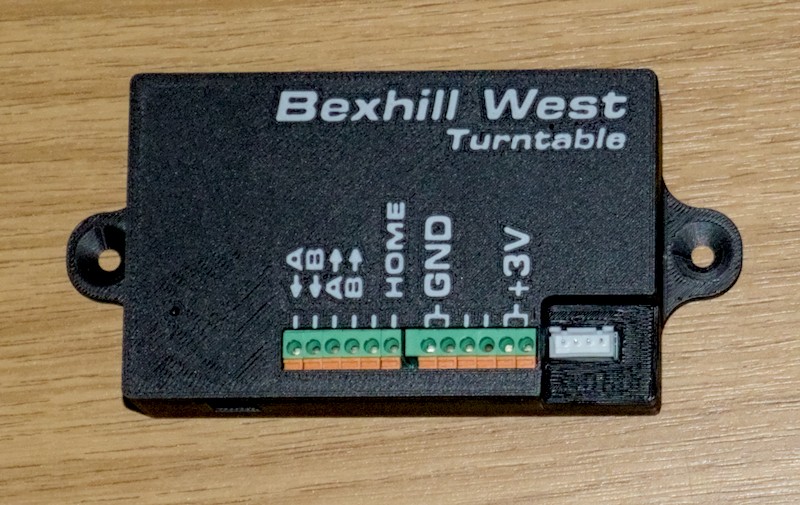 |
|
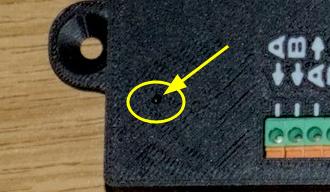
Using a paperclip, or similar stiff thin object, poke the end into the reset hole until you feel a "click".
Apologies, the photo is not very clear - the hole is generally easy enough to spot in person! |
 |
| Now apply power, whilst keeping the reset button pressed down. | |
| After 5 seconds, release the reset button. The receiver will reboot, with the configuration (all roads, drive ratio, speeds, calibration data, etc.) cleared to factory default settings. | |
|
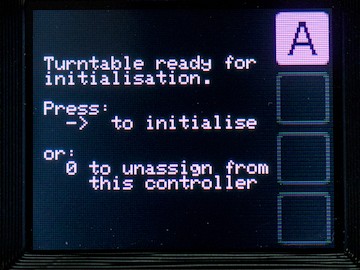
After rebooting following a reset, your controller (if it is powered on) will automatically re-acquire the receiver and prompt for it to initialise.
If this happens, and you do NOT intend to continue using the receiver, press the ZERO key to tell the receiver and controller to forget each other's existence. |
 |
|
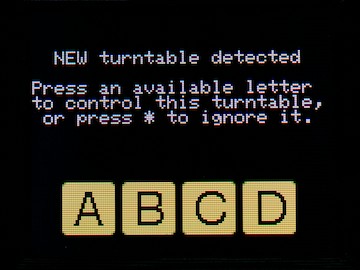
If you unassigned the receiver from the controller, it will immediately display the "choose a slot" menu.
Press the |
 |
No Comments